

Showing posts with label Tips. Show all posts
Showing posts with label Tips. Show all posts


24 Dec 2012

This is the tutorial to fix error openGl 2.0 ,1.4,1.3 for windows 7/ vista/ XP 32 and 64 bit for angry birds and minecrafts 2012 . Watch this video
Steps to fix opengl errors:-
1. Download any driver updating software
Or
Try this software. Click here
2. Run that software and scan for driver updates
3. Update only those drivers which are related to graphics.
4.doneee!!
NOTE:- Updating drivers via Device Manager and Windows Updates may not work for some people..
So try this .. its 100% working
22 Dec 2012

In this article i am going to tell you the advantages and disadvantages of using UDIDfaker in App Trailers..
UDIDfaker is a cydia tweak that changes the UDID ID of your iPhone. By changing this ID you can cheat various iPhone apps and can earn coins or points or whatever
By using UDIDfaker you can earn infinite points in app trailers .. Thats true
But the thing is that you cant cash out those points....
when you use this tweak, App trailer server detects that and bans your account and you won't be able to cash out ... in my case i got banned . watch complete video
Join my Facebook page for more tricks :- Downloads
My YouTube Channel is :- cbagga17
21 Dec 2012

This is really cool......awesome widgets for IDM(Internet Download Manager)
Here are some steps:-
1. Dowload any of these file or all of them from here
2. extract these files to C-->Program Files-->Internet Download Manager-->Toolbar
3.restart IDM
4. Go to View-->Toolbar
5. select the desired toolbar
Steps in detail
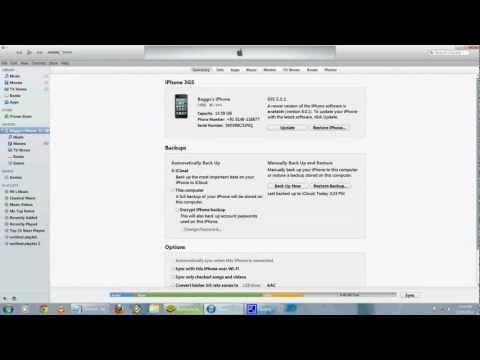
1. Open iTunes.
2. Click on icon on the top left of the iTune Window.
3. Select "Show Menu Bar" option. you will see a menu bar on the top of window.
4. Go to View-->Show Side Bar
5. Donee!!!!! :D
Or
1. Open iTunes.
2. Click on icon on the top left of the iTune Window.
3. Select "Show Menu Bar" option. you will see a menu bar on the top of window.
4. Go to File-->Devices-->Transfer Purchase
5. Donee :D
Join my Facebook page for more tricks :- Downloads
My YouTube Channel is :- cbagga17